Three dashboard tiles hold most of your league's numbers and history. In short:
| Page | Use it to |
|---|---|
| Stats | See league leaders and full stat tables for any season, or for whole careers in your league. |
| Reports | Look at rosters, free agents, the trade block and league history in ready-made lists. |
| Archives & Polls | Look back: past champions, season standings, recaps, schedules and polls. |
Two more places help you look up a player: the Player Search tile and the player card.
Stats
Choose the Stats tile. The page shows your league's own stats: what players did for your league's teams, not their real-life stats.
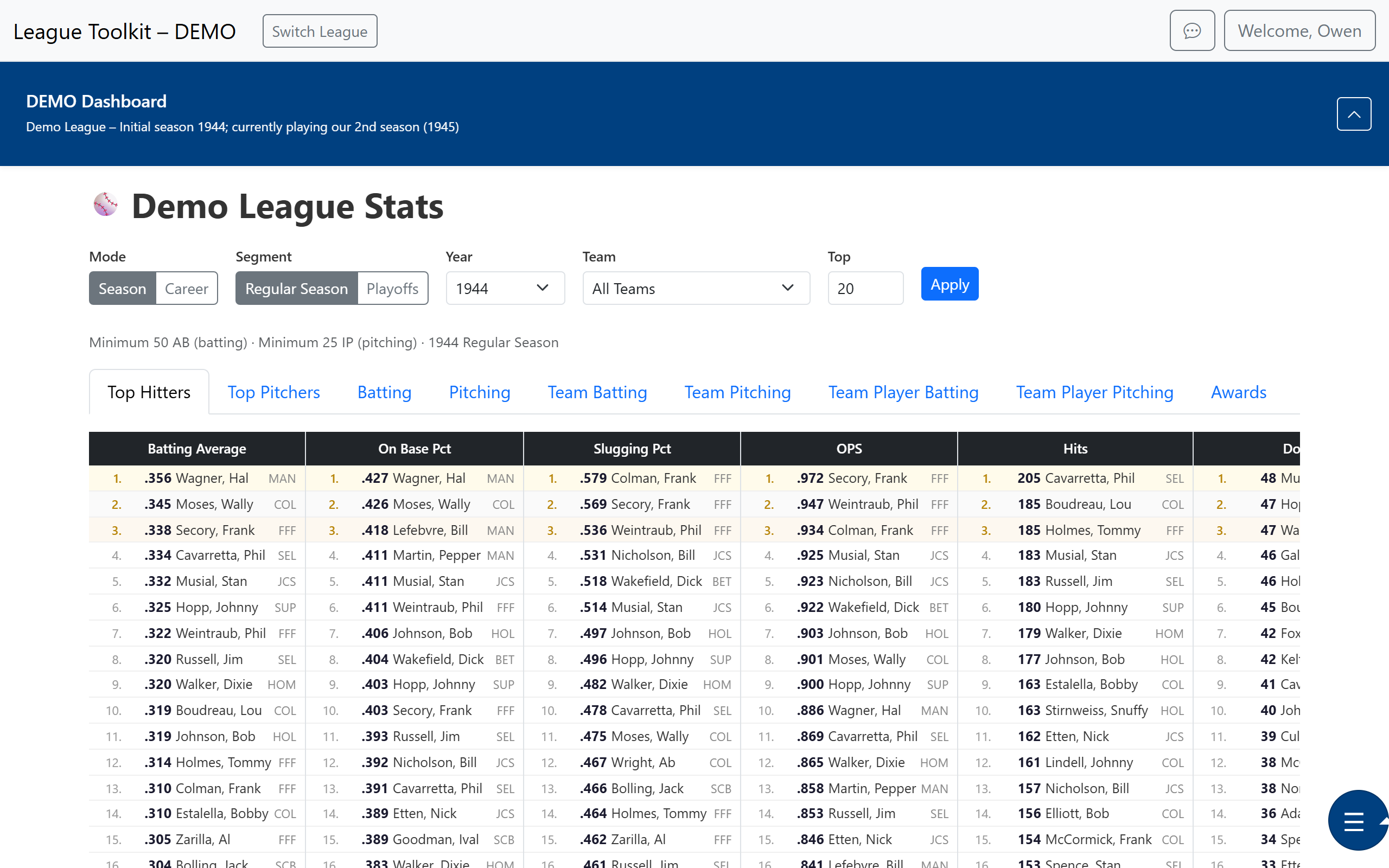
The filters
Set the filters, then choose Apply.
| Filter | What it does |
|---|---|
| Mode | Season shows one season. Career adds up every season in your league. |
| Segment | Regular Season or Playoffs. Not shown in football leagues. |
| Year | The season to show, in Season mode. A season still being played says (in progress). Baseball also has All Years: one line per player per season. |
| Team | Show one team's players only. Baseball and football; not on every tab. |
| Top | How many players each list shows. |
Under the filters, a grey line says what you are looking at and the minimums a player needs to appear in rate stats such as batting average or ERA.
The tabs
| Sport | Tabs |
|---|---|
| Baseball | Top Hitters and Top Pitchers (leaders in each category, side by side), Batting, Pitching, Team Batting, Team Pitching, Team Player Batting and Team Player Pitching (every player who played for the team you choose), Awards |
| Hockey | Top Skaters, Top Goalies, Skaters, Goalies, Team Stats, Awards |
| Football | Top Passers, Top Rush/Rec, Top Defenders, Passing, Rush/Rec, Defense, Kicking, Team Offense, Team Defense, Awards |
In the stat tables, choose a column heading to sort by it. The Awards tab shows the award winners for the year you choose.
Reports
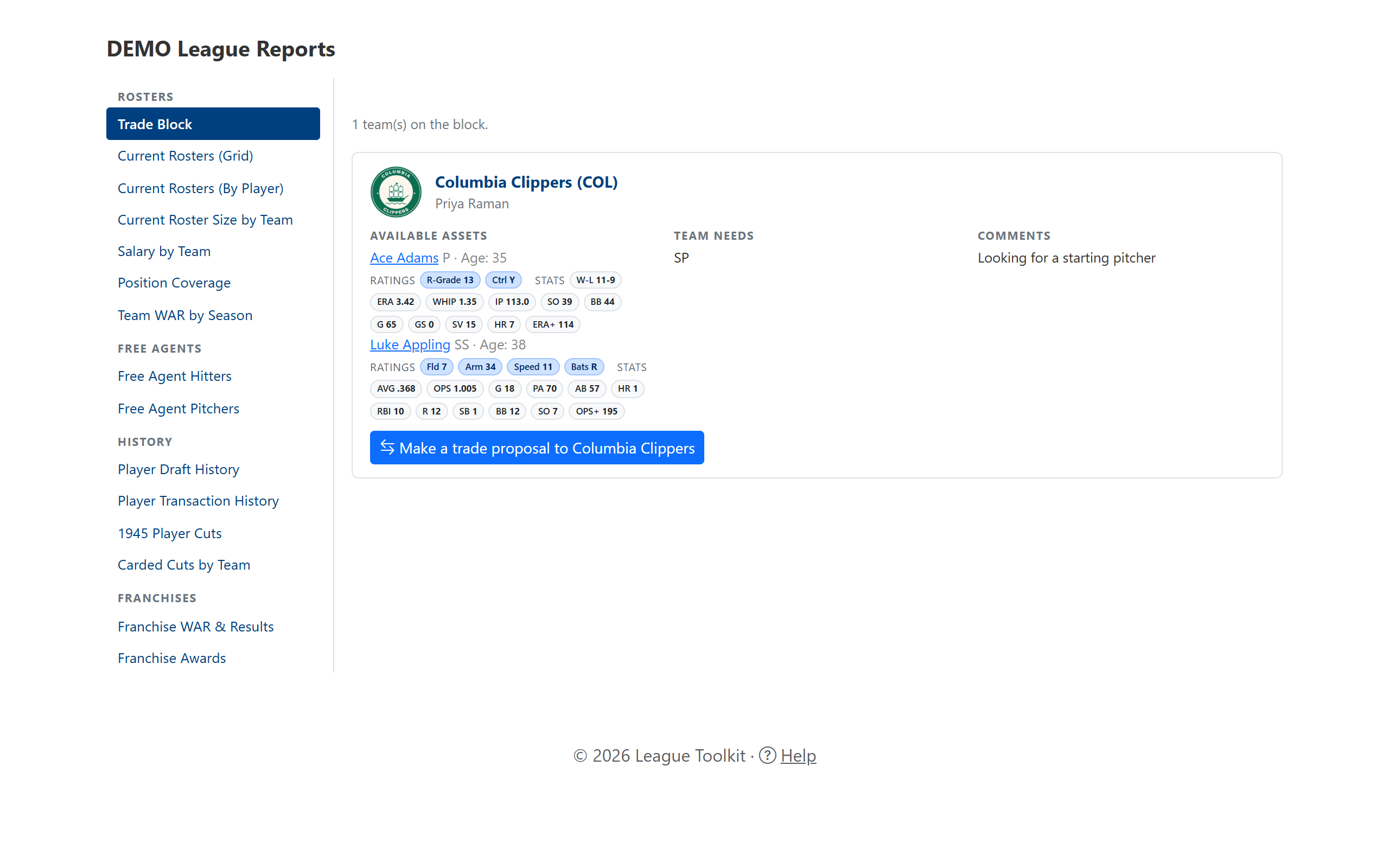
Choose the Reports tile to open your league's reports. Choose a report in the list on the left; it opens on the right. On a phone the list is a set of buttons above the report. Most reports have an Export to Excel button.
| Section | Reports |
|---|---|
| Prospects | Prospect leagues only. Owned Prospects and Prospect Spots by Team (how many prospect spots each team has open). |
| Rosters | Trade Block (every team's block, with a button to propose a trade), Current Rosters (Grid), Current Rosters (By Player), Current Roster Size by Team, Salary by Team, Position Coverage (whether each team's players cover every position for a full season). Baseball adds Team WAR by Season; football adds Position Depth. |
| Free Agents | Players no team owns. Baseball: Free Agent Hitters and Free Agent Pitchers. Hockey: Free Agent Skaters and Free Agent Goalies. Football: Free Agent Offense and Free Agent Defense. |
| History | Player Draft History, Player Transaction History, the current season's Player Cuts, and Carded Cuts by Team (players cut this season who played in real life this year). |
| Franchises | Baseball only. Franchise WAR & Results and Franchise Awards, over the years you choose. |
Some baseball leagues have a Waiver Pool section too, where owners can claim players. It appears only when the league uses a waiver pool.
Archives & Polls
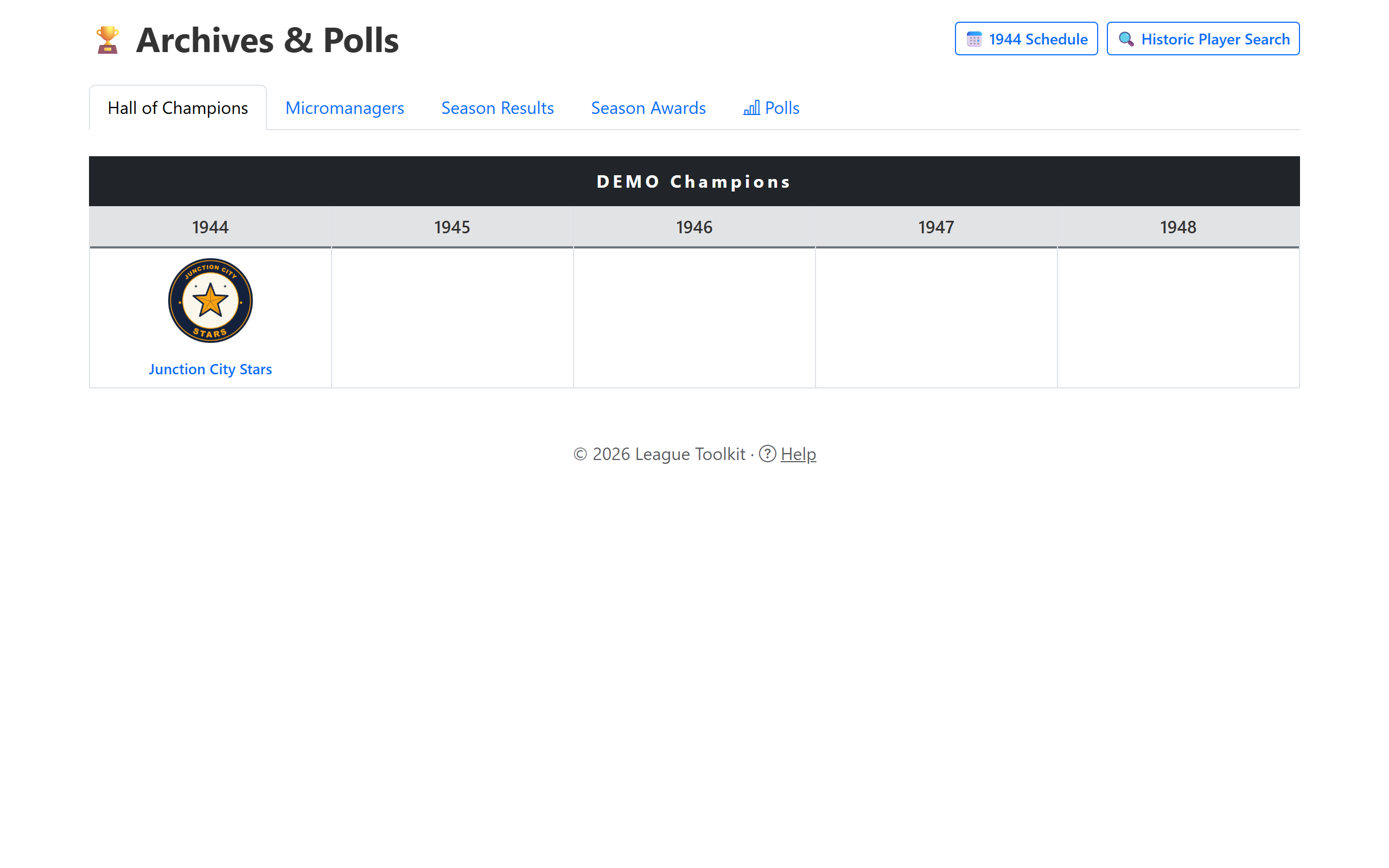
Choose the Archives & Polls tile. The tabs hold the league's history.
| Tab | What it shows | When you see it |
|---|---|---|
| Hall of Champions | Every league champion by year, with the team's logo. | Always. |
| Micromanagers | A searchable list of Micro Managers. | APBA baseball leagues. |
| In Memoriam | Remembering people from the league. | When the league has entries. |
| Season Results | One row per season, with links to that season's Standings & Team Stats, Recaps & Previews, Schedule and award winners. | Always. |
| Season Awards | Award winners by year. | Leagues that keep awards. |
| League Links | Links the commissioner has added. | When there are any. |
| Downloads | Files to download. | League members, when there are any. |
| Polls | League polls. See Vote in a poll, or start one. | Leagues that use polls. |
The buttons at the top right can include the latest season's Recaps & Previews and Schedule, Historic Player Search (search every player in every season the league has cards for) and, for some owners, Email Results. A player's name in Historic Player Search opens his player card for your league, so his league honours and any Hall of Fame plaque show, as they do from Player Search.
A season's pages
From Season Results:
- Standings & Team Stats opens the season's standings, with a tab for the regular season and one for each playoff round. Regular season standings can be shown by division or overall. Choose a team to see its players' stats for that season.
- Recaps & Previews lists the season's write-ups. In football leagues this is Weekly Recaps & Previews. Each one has a Print / Save As PDF link.
- Schedule shows the season's games and results, with a Team filter.
Hall of Fame
Choose the Hall of Fame tile to see your league's inductees, with their plaques and career stats. Expand all stats and Collapse all open or close every player's stats.
- Voting History shows each year's ballot: every candidate's YES, NO and Did Not Vote counts, his YES%, and Inducted or Not Inducted. While a ballot is still open, its year says voting is still in progress and each player shows Voting in progress. The counts only show during voting if the commissioner has chosen to show results while voting is open.
- Current Ballot appears while Hall of Fame voting is switched on, and a banner with Vote Now appears while a ballot is open for voting. Closing a ballot normally switches voting off, so both go away until the next ballot opens.
See Vote for awards and the Hall of Fame.
Player Search
Choose the Player Search tile. Type the first letters of a player's last name and choose Search. It finds players for the season your league is playing, whoever owns them:
- The results show each player's real team, his stats, and the team in your league that owns him. FA in grey means no team owns him.
- Baseball lists hitters and pitchers separately; hockey lists skaters and goalies. Prospect leagues also list owned prospects.
- Choose a player's name to open his player card in a new tab, or a team to open its team page.
The player card
A player card opens in a new browser tab whenever you choose a player's name in a roster, report, search or draft list.
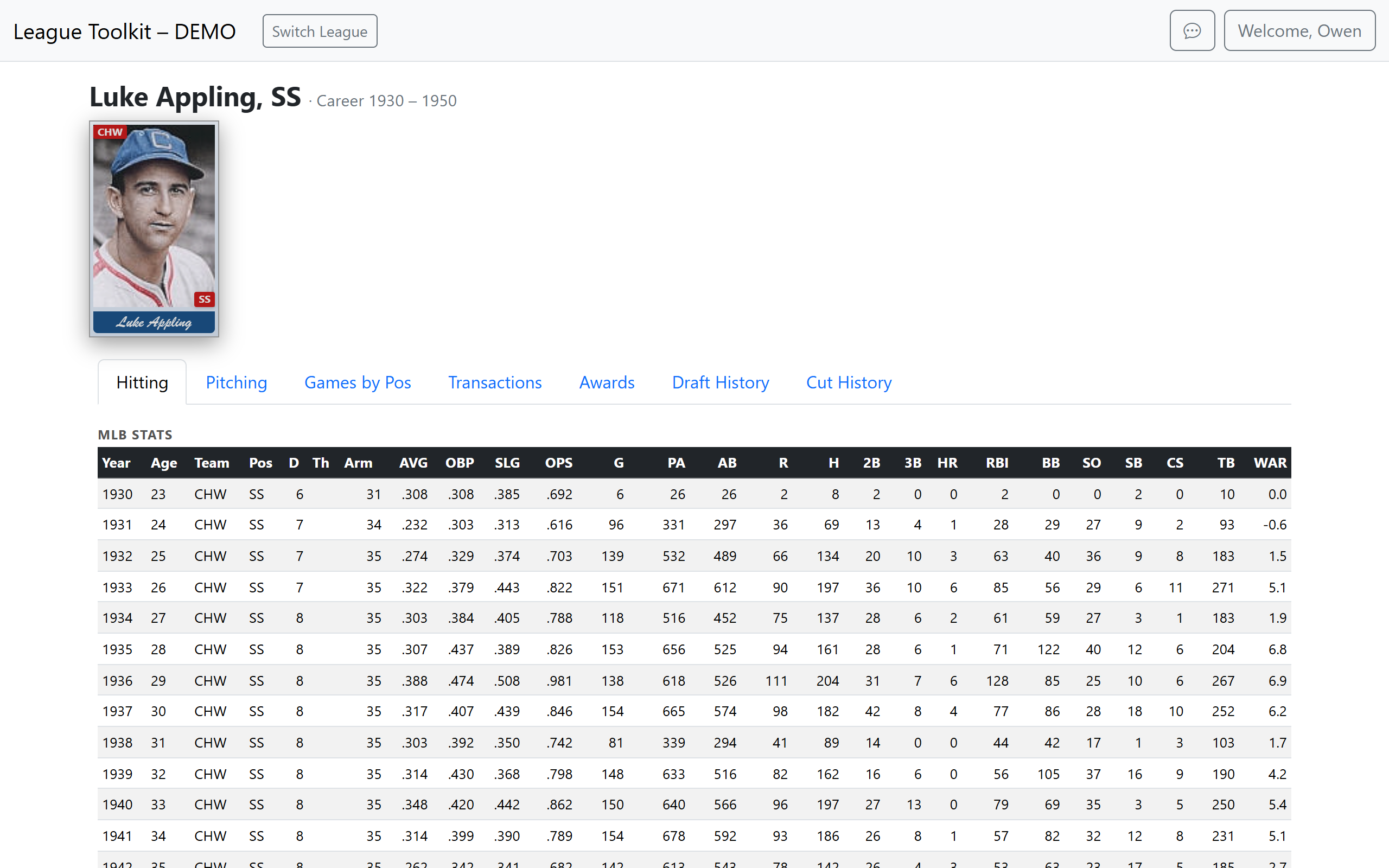
At the top are his name, main position, career years and picture. If he has won league awards, a Career Honors box lists them; for a member of your league's Hall of Fame, the box says so and his plaque can take the place of his picture.
The tabs depend on the sport:
| Sport | Tabs |
|---|---|
| Baseball | Hitting and Pitching (his stats in your league, regular season and playoffs, then his real MLB Stats), Fielding (when your league records fielding), then Games by Pos or Ratings depending on the game your league plays. A pitcher's card opens on Pitching. |
| Hockey | Skater Stats or Goalie Stats: your league's regular season and playoff stats, then NHL Stats. |
| Football | Tabs for his position, such as Passing, Rushing, Receiving, Defensive Stats, Kicking, Punting, Return Stats or Line Ratings, each with your league's stats and then NFL Stats. |
Every card also has Transactions, Awards, Draft History and Cut History. Contract leagues add Contract History.
A season marked DNP (Did Not Play) means the player did not play in real life that year.